The data breach risks of public wi-fi and remote work security standards for businesses

Flexible working at cafes, co-working spaces, or airport lounges has become a widespread habit thanks to the development of high-speed internet. However, just one minute of logging onto an unsecured Wi-Fi network can result in the theft of an organization's entire internal data.
In the context of the Cybersecurity Law 116/2025/QH15 and Decree 356/2025/ND-CP imposing strict requirements on preventing personal data loss during storage and transmission, the negligence of a single employee can lead to severe legal and financial consequences for an organization. Establishing rigorous remote work security standards is a mandatory requirement to maintain the safety of any enterprise's information network.
Cybersecurity risks hidden in public spaces
When taking devices out of the office environment, workers face a series of privacy and cybersecurity risks.
Below are the most direct threats:
1. Threats from fake wi-fi networks
The U.S. National Security Agency (NSA) warns users to absolutely avoid connecting to public Wi-Fi networks that do not require a password, as any data sent over them is vulnerable to theft or manipulation. Furthermore, even if a Wi-Fi network requires a password, it does not guarantee that the transmitted data will be encrypted.
Particularly, hackers can set up fake access points (evil twins) that mimic the names of legitimate nearby Wi-Fi networks. When an employee inadvertently connects to this network, the threat actor immediately gains access to all data being sent over the network.
2. Information leakage via sight and sound
In crowded spaces, strangers can easily stand behind and "shoulder surf" to peek at the content on an employee's laptop screen. Additionally, discussing sensitive projects over online meeting platforms in public creates a massive risk of eavesdropping. The British government has issued clear warnings to personnel handling classified documents, stating that public environments provide unauthorized individuals with free access to information.
3. Risk of physical device theft
Leaving a laptop unattended on a table in open spaces turns the device into an attractive target for thieves. If the device is not protected by strong password layers and encryption, losing the computer means all internal corporate data is fully exposed.
Remote work security standards for personnel
To proactively protect the organization's digital assets, employees must strictly adhere to the following operational guidelines:
Utilize virtual private networks (VPN) and mobile hotspots: Instead of using public Wi-Fi, personnel should use a mobile hotspot from their personal cellular device to create an independent and secure connection. If using external Wi-Fi is unavoidable, activating Virtual Private Network (VPN) software is the ultimate rule. A VPN encrypts data traffic and routes it through secure tunnels, preventing any eavesdropping attempts.
Equip screen privacy filters: Employees should choose secluded seating locations, prioritizing sitting with their backs to a wall to restrict visibility from behind. Applying screen privacy filters—a thin film with tiny louvres—will darken the display when viewed from an angle, thoroughly preventing shoulder surfing.
Maintain device protection discipline: Never leave laptops or phones on a table when leaving the seat, even for a short restroom break. Simultaneously, strictly limit discussing private business information while in crowded areas.
Understand organizational policies: Carefully read the rulebook and participate in privacy training sessions provided by the organization to understand the best practices and any geographical restrictions on remote working.
Centralized device risk management with a technology ecosystem
Businesses cannot solely rely on the self-discipline of individual employees. To ensure compliance while maintaining flexible business operations, equipping technological control tools is a strategic move.
Implementing Mobile Device Management (MDM) solutions from the IPSIP Vietnam ecosystem helps organizations enforce mandatory security policies across the entire fleet of computers and phones used by remote workers. The system allows the technical department to automatically lock devices or remotely wipe all data the moment a loss is reported.
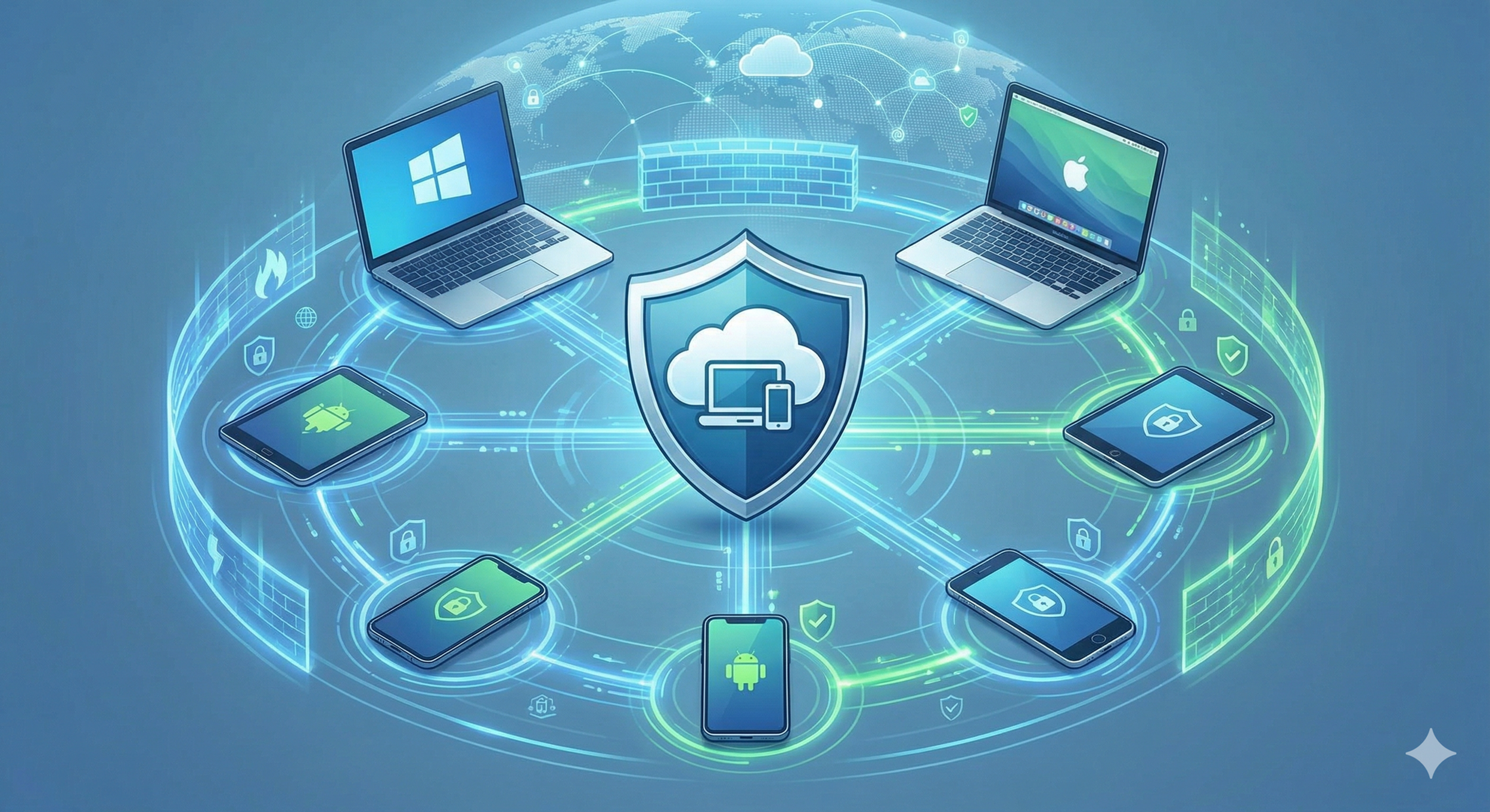
Combined with Double Data Encryption technology, businesses can ensure that even if an employee accidentally connects to a fake Wi-Fi network or the device falls into the wrong hands, the core business information remains safely encrypted and completely worthless to hackers.
-------------
References:
Article: "One Tech Tip: Logging on at a cafe? Privacy and security guidelines for remote workers" - The Associated Press.
Legal Document: "Decree 356/2025/ND-CP detailing the Personal Data Protection Law" - Vietnam Government.
Legal Document: "Cybersecurity Law 116/2025/QH15" - Vietnam National Assembly.