
Microsoft Teams IT Support Scams: What Businesses in Vietnam Should Review

Microsoft Teams IT support scams can turn an apparently routine helpdesk conversation into the starting point of a cybersecurity incident. An October 26, 2026 report from The Hacker News describes attackers using workplace communications to approach employees, request remote access, and carry out malicious activity.
For businesses in Vietnam using Teams, the immediate question is how employees verify support staff before allowing someone to control their computer. A familiar display name or an offer to “fix the issue now” does not establish that the caller belongs to the IT team.
1. How Microsoft Teams IT support scams work?
Arctic Wolf reported analyzing more than 400 incidents involving impersonation or malicious file delivery through Teams external chat. Attackers used names such as “IT Support” and “Help Desk,” sometimes adding “Internal” to suggest they were company employees.
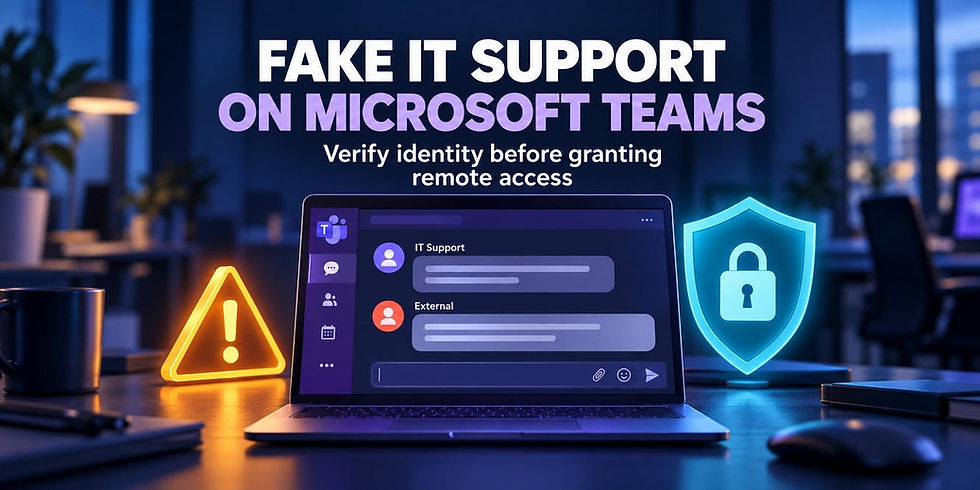
In many cases, victims received a flood of subscription emails before the fake support account appeared. The disruption created pressure to resolve the problem quickly and made the offer of assistance seem timely.
A typical sequence can involve:
An employee receives an unusual volume of emails or is told their computer has a problem.
An account claiming to represent IT contacts them through Teams and offers urgent help.
The employee is asked to open Quick Assist, install another support tool, or follow instructions on their computer.
The attacker uses the resulting access to execute malware, investigate the environment, and expand the intrusion.
Microsoft has documented helpdesk impersonation through Teams in which Quick Assist or similar tools provided initial remote access. Attackers then used legitimate applications and administrative protocols to move between systems and prepare data for transfer outside the organization.
An external conversation does not automatically give someone control of a device. In the intrusion chain Microsoft examined, the risk escalated when users approved subsequent actions. Microsoft also stated that the activity did not stem from a weakness in Teams or its built-in protections.
2. How fake support sessions can lead to ransomware
Remote support tools allow an authorized person to interact directly with a computer. If that person's identity has not been verified, the same access can be misused to download software, gather information, and maintain an unauthorized connection.
Sophos documented STAC4749, a campaign using Teams-based IT impersonation to obtain remote access. At least three intrusions in its analysis led to Chaos ransomware deployment. In one incident, the time between initial access and ransomware deployment was less than 17 hours. These are findings from specific incidents, rather than a fixed timeline for every attack.
For more background, see our coverage of Chaos ransomware attacks through Microsoft Teams, which explains the connection between support impersonation and ransomware deployment.
3. What is relevant to businesses in Vietnam?
3.1. A .com.vn domain does not verify a support provider
Arctic Wolf noted the use of .com.vn domains in the activity it examined. That finding does not establish that the victims were located in Vietnam.
The practical lesson is to compare the exact domain and support identity against information published by the company. A familiar domain suffix cannot replace that verification.
3.2. Make verification clear when working with external IT providers
For a business in Vietnam that uses both an internal IT team and an outsourced support provider, external accounts may be part of legitimate daily work. Employees therefore need a clear way to distinguish an authorized technician from someone who simply claims to be one.
Publish the approved support contacts, domains, request channels, and remote access tools. When a provider changes its staff, update the authorized contact list before the new technician starts approaching employees.
These are operational recommendations for businesses using that support model. They do not imply that Vietnamese companies were confirmed victims of the reported campaign.
3.3. Verify requests through an established channel
A ticket number is useful when the employee can independently check it in the official support system. Reading back a number supplied by the caller is insufficient: an impersonator can invent a plausible reference.
Build this check into the IT helpdesk workflow. Before starting a remote session, employees should verify the request through the support portal or call a contact listed in the internal directory.

4. Five controls businesses should review
4.1. Review external communications in Teams
Microsoft allows administrators to configure External access using domain settings and user policies. Selecting an option that allows only specified external domains blocks other domains within the scope of that configuration.
Before applying restrictions, identify the partners, customers, and service providers that employees need to contact through Teams. Pilot the changes with a small group, check their operational impact, and then expand the rollout. Guest access and anonymous meeting access are separate settings that also need review.
Define responsibilities within the scope of Microsoft 365 IT helpdesk support, including who approves configuration changes and who handles suspicious accounts.
4.2. Manage remote support tools according to business needs
Maintain an inventory of approved remote access tools, authorized operators, and supported devices. For each session, establish who is connecting, what issue they are addressing, and when their access ends.
Where a particular tool is unnecessary, IT can assess whether to remove it or restrict its execution. For tools needed in daily operations, review unattended access settings, administrator accounts, and session logs. Test changes to ensure legitimate support remains available.
4.3. Verify identities outside the suspicious conversation
When someone unexpectedly requests control of a computer, employees should pause and confirm the request through a previously established contact. A telephone number, link, or directory supplied by the suspicious account should not be the sole basis for verification.
Requests to run commands, install unapproved software, or disable security protections should be referred to an authorized person for review. Urgency should not replace approval.
4.4. Train employees using realistic support scenarios
Employee cybersecurity awareness training should include scenarios involving supposed IT staff on Teams. Employees need practice checking sender identities, recognizing external accounts, and reporting unusual support requests.
A useful exercise starts with a flood of unfamiliar emails, followed by a Teams call asking the employee to open a remote support tool. Assess whether the employee pauses and verifies the request through the correct channel.
4.5. Connect Teams monitoring with endpoint visibility
Arctic Wolf observed cases where attackers navigated to a malware location during a remote session rather than posting the URL directly in Teams. Message link inspection alone can therefore miss subsequent activity.
Prioritize investigation when an unusual support conversation is followed by a newly installed remote access tool, administrative commands outside the support request, or unexpected account activity. Assign someone to review and act on alerts rather than simply retaining logs.
5. What should employees do after granting suspicious remote access?
If an employee suspects they have given an impersonator access, they should stop interacting with that person and immediately contact the official IT or security team through a known channel. Report the time, contacting account, software opened, and actions taken.
The response team should assess whether to isolate the device, preserve logs, and inspect recently installed or executed software. Employees should avoid deleting files, reinstalling the computer, or continuing to follow the caller's instructions. If credentials may have been exposed, IT should also evaluate password changes, session revocation, and the scope of affected accounts.
------------
Frequently asked questions
Can simply receiving a Teams message give someone control of a computer?
In the impersonation chain Microsoft analyzed, access followed the user's approval of further actions, such as starting a remote support session. Receiving a message should not be treated as equivalent to a compromised device.
Should businesses block every external account on Teams?
The decision depends on collaboration needs. Businesses can restrict external domains and user groups after reviewing work-related connections. Microsoft provides these controls through External access settings and policies.
Is MFA enough to prevent helpdesk impersonation?
No. Multifactor authentication helps protect sign-ins, but it does not establish the identity of someone asking to control a computer. Businesses still need to verify the support provider, the purpose of access, and the permissions granted.
Is there evidence that this campaign targeted businesses in Vietnam?
The sources reviewed for this article did not specifically confirm business victims in Vietnam. The appearance of .com.vn domains is insufficient to determine where victims were located.
A trustworthy support request needs a verifiable identity, a clear reason for access, and appropriate permissions. Businesses using Teams can start by making those three requirements explicit in their helpdesk procedures.
Organizations reviewing their support intake, permissions, and remote assistance procedures can explore IT Helpdesk and IT Support services from IPSIP Vietnam.

--------------
References
The Hacker News: https://thehackernews.com/2026/10/attackers-use-microsoft-teams-it.html
Arctic Wolf Labs: https://arcticwolf.com/resources/blog/threat-actors-abuse-microsoft-teams-external-chat-for-initial-access/
Microsoft Security Blog: https://www.microsoft.com/en-us/security/blog/2026/04/18/crosstenant-helpdesk-impersonation-data-exfiltration-human-operated-intrusion-playbook/
Sophos: https://www.sophos.com/en-us/blog/chaos-in-teams-vishing
Microsoft Learn: https://learn.microsoft.com/en-us/microsoftteams/trusted-organizations-external-meetings-chat


