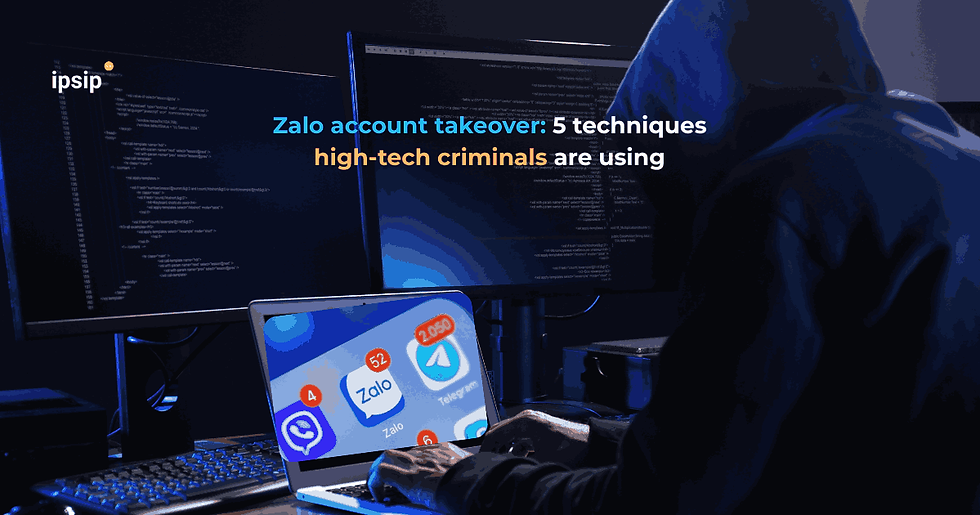
Zalo Account Takeover: 5 Techniques High-Tech Criminals Are Using

High-tech criminals are using at least five methods to take over Zalo accounts: stealing OTP codes, creating fake login websites, tricking users into installing malware, abusing QR-based login and reusing leaked passwords from other services. Once an account is compromised, attackers may impersonate the victim to request money or distribute malicious links.
A message received from a familiar Zalo contact often feels more trustworthy than an email from an unknown address. That is exactly why a compromised account can be valuable to cybercriminals: instead of building a fake identity from scratch, attackers can communicate under the name of someone the victim already knows and trusts.
The risk becomes even more significant when Zalo is used for both personal and business communication. A compromised employee account may not only expose friends and family to fraud, but also create opportunities to target colleagues, customers, suppliers and business information shared through the platform.
How are criminals Zalo account takeover?
According to warnings from the Cybersecurity and High-Tech Crime Prevention Division of Quang Ninh Provincial Police, users should pay particular attention to five common attack methods.
The common pattern is that attackers exploit trust and user behaviour rather than necessarily compromising Zalo’s own infrastructure.
Attack method | How it works | Potential impact |
Fake Zalo staff asking for OTP | Attackers claim the account has a problem, needs verification or received a code by mistake | The attacker obtains the authentication code needed to log in |
Fake login website | Victims receive links to vote, view photos, claim rewards or verify an account | Login credentials or OTP codes are entered into a phishing site |
Malicious application | Malware is disguised as a game, utility, learning app or work tool | SMS, OTP, personal data or device access may be stolen |
QR login scam | Victims are asked to “help log in”, “verify an account” or “fix an error” | The attacker may open a Zalo session on another device |
Reused leaked passwords | Credentials exposed on another platform are tested against Zalo | Accounts may be compromised when users reuse passwords |
Impersonating Zalo staff to steal OTP codes
Attackers may enter a victim’s phone number into the Zalo login process, causing the real service to send an OTP to the account owner.
They then call or message the victim while pretending to be Zalo support staff and attempt to convince the user to reveal the code.
Users should never provide OTP codes to another person over the phone or through chat. An OTP is part of the authentication process, and disclosing it may allow an attacker to complete a login attempt.
Creating fake Zalo websites to steal credentials
Phishing pages may use logos, colours and layouts that closely resemble the real service.
Links are often accompanied by messages designed to create curiosity or urgency, such as requests to vote, view photos, receive a reward, verify a transaction or confirm an account.
When users enter login details into a fake page, the information may be sent directly to the attacker.
Tricking users into installing malware
A more dangerous method involves asking victims to install unofficial or malicious applications.
Once granted permissions such as access to SMS, contacts, storage, camera or Accessibility services, malware may be able to collect far more information than just Zalo credentials.
Vietnam’s Ministry of Public Security has also warned that cybercriminals are increasingly combining social media, digital banking, AI and impersonation tactics to manipulate victims into revealing OTP codes, passwords or authorizing transfers.
Using QR login as a backdoor into an account
QR-based login can feel harmless because users do not have to type a password.
Attackers exploit this by sending a QR code and asking the victim to scan and approve it under a seemingly legitimate pretext.
If the QR code is linked to a login request and the user confirms it, a Zalo session may be opened on the attacker’s device.
A QR code should therefore be treated as an authentication request, not just as an image.
Reusing passwords leaked from other services
If users reuse the same password across Zalo, email, Facebook and other platforms, a breach on one service may create an opportunity to compromise another.
This technique is commonly known as credential stuffing - systematically testing previously leaked username and password combinations across multiple services.
What can attackers do after taking over a Zalo account?
A compromised account is particularly dangerous because attackers inherit the victim’s identity and trusted social network.
Recipients see the familiar name, profile photo and existing relationship, which may reduce suspicion.
Attackers may use compromised accounts to impersonate users, ask friends or relatives for money, request transfers or distribute malicious links.
The risk can therefore spread through a chain such as:
Personal account → friend or colleague → customer or business partner.
For example, a salesperson may regularly communicate with customers through Zalo (maybe suspicious Zalo account takeover). If that employee’s account is compromised, attackers may exploit the established relationship to send a new bank account number, request a deposit, share a malicious document or redirect the customer to a phishing page.
This shows how small pieces of personal information can be combined with social media profiles to build a convincing fraud scenario.
WARNING: If a familiar Zalo account suddenly asks you to transfer money, provide an OTP, scan a QR code, install an application or open a file, do not treat the account name or profile photo as sufficient proof of identity. Verify the request through an independent channel before taking action.
What should and shouldn’t users do to protect Zalo accounts?
The most effective precautions focus on protecting authentication information and building a habit of verifying sensitive requests.
DO
Use a unique password for Zalo that is different from email and other social media accounts.
Enable any additional security or authentication features supported by the account.
Regularly review active devices and login sessions.
Sign out unknown devices immediately.
Download applications only from official app stores and verify the developer.
Check domain names carefully before entering login information.
Read login warnings before approving a QR-based authentication request.
Use a phone call or another channel to verify requests involving money.
Change passwords immediately if you suspect credentials have been exposed.
Preserve suspicious messages, phone numbers, links and QR codes if reporting the incident to authorities.
DON’T
Do not provide OTP codes to anyone over a phone call or message.
Do not log in to Zalo through unfamiliar links received in chat.
Do not scan a QR code simply because a friend asks you to without understanding its purpose.
Do not install APK files or software from untrusted sources.
Do not grant SMS, Accessibility, contacts or storage permissions to apps that do not need them.
Do not reuse the same password across multiple services.
Do not transfer money based only on a Zalo message.
Do not immediately delete messages or evidence if you have already become a victim.
If users suspect an account has been compromised, recommended steps include changing the password, logging out from all devices, warning friends and family not to follow payment requests, and preserving evidence for reporting to police.
Why can a personal Zalo account become an enterprise cybersecurity risk?
The boundary between personal messaging and business communication is increasingly blurred.
Employees may use Zalo to communicate with customers, send quotations, contracts, shipping information, project images or internal documents.
When a personal account is compromised, the organisation may face two major categories of risk.
The first is identity impersonation in business processes. An attacker may impersonate an employee to request payments, send malicious files to colleagues or ask for sensitive information.
The second is enterprise data leakage. If Zalo PC or a personal mobile device contains work-related conversations and documents, compromise of the account or device may expose information that belongs to the organisation.
IPSIP Vietnam has previously examined enterprise data protection risks when employees use Zalo PC and messaging applications. The important question is not only whether the account can be hacked, but whether the company has defined which types of data employees are allowed to share through personal messaging tools.
Businesses should consider several rules:
Do not approve changes to supplier bank accounts through Zalo alone.
Payment requests should require verification through a second channel.
Do not send passwords, OTP codes, API keys or administrative credentials through chat.
Sensitive documents should be shared through systems controlled by the organisation.
Devices used for work should follow application and data-management policies.
Employees must know how to report a compromised personal account if it is also used for business communication.
What does IPSIP Vietnam’s cybersecurity perspective suggest?
Businesses cannot focus only on email and internal systems. External communication channels such as Zalo should also be included in technology-use policies, data classification and transaction-verification procedures.

The warnings around Zalo accounts show that effective cyberattacks do not always begin with a sophisticated technical vulnerability. Sometimes they start with an OTP disclosed to the wrong person, a QR code approved too quickly or a password reused across too many services.
For individuals, effective protection starts with securing authentication information and verifying unusual requests. For businesses, the response must go further: identify which external communication channels employees use, define what data may be shared and establish verification procedures for sensitive transactions before one compromised account becomes an organisation-wide incident.
Nguồn tham khảo